> ## Documentation Index
> Fetch the complete documentation index at: https://docs.isomorphic.sh/llms.txt
> Use this file to discover all available pages before exploring further.
# The app
> The viewer and editor, inside Claude or in a browser tab.
The app is how people see and edit a brain without opening GitHub. It renders inside the
conversation in hosts that support [MCP Apps](https://modelcontextprotocol.io/extensions/apps/overview),
claude.ai among them, and the same app runs as an ordinary web page for anyone who is not in the
conversation.
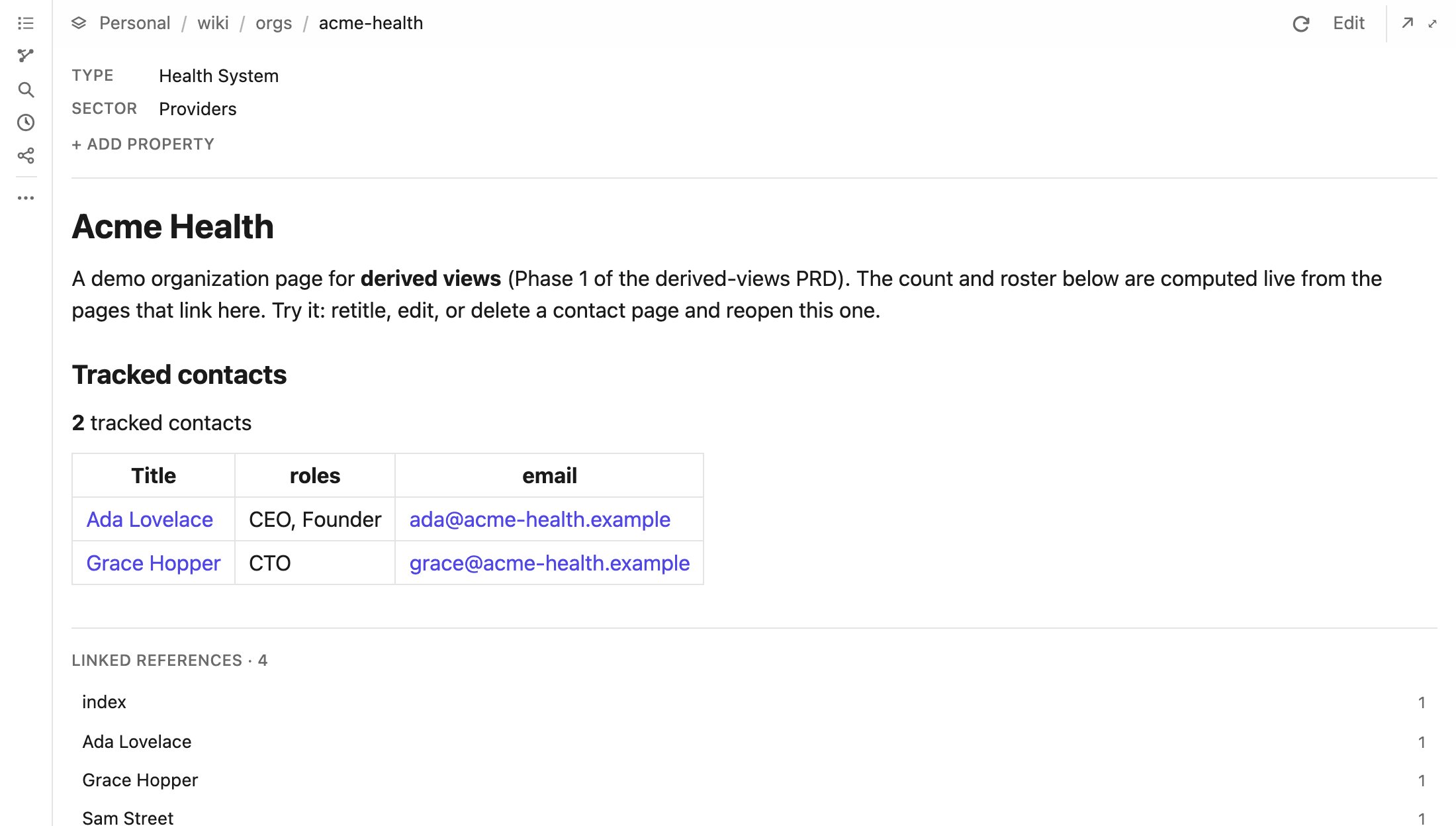 Ask Claude to "show me my brain" or to open a page, and it opens the app. The app has no
privileges of its own: everything it shows or changes goes through the same tools Claude uses,
at your role, so it can never do something you could not.
## Opening it in a browser
Every page has a web address, `https:///b///`, that anyone with access
to the brain can open. They sign in with the same email link and need no Claude account. Ask
Claude to share a page and it gives you the link. Locally, `pnpm try` serves the app at
`http://127.0.0.1:8788/b/local/`.
## What is in it
* **Viewer.** Rendered markdown with working links in both styles. Frontmatter appears as a
properties panel. [Computed views](/computed-views) render live, and every page ends with the
pages that link to it. A refresh control shows the page's age and says when it changed
underneath you.
* **File tree.** Clicking a folder opens its [folder note](/writing-a-brain#folder-notes). A
folder without one offers to create it, already holding a listing of the folder.
* **Search**, with ranked results and the lines that matched.
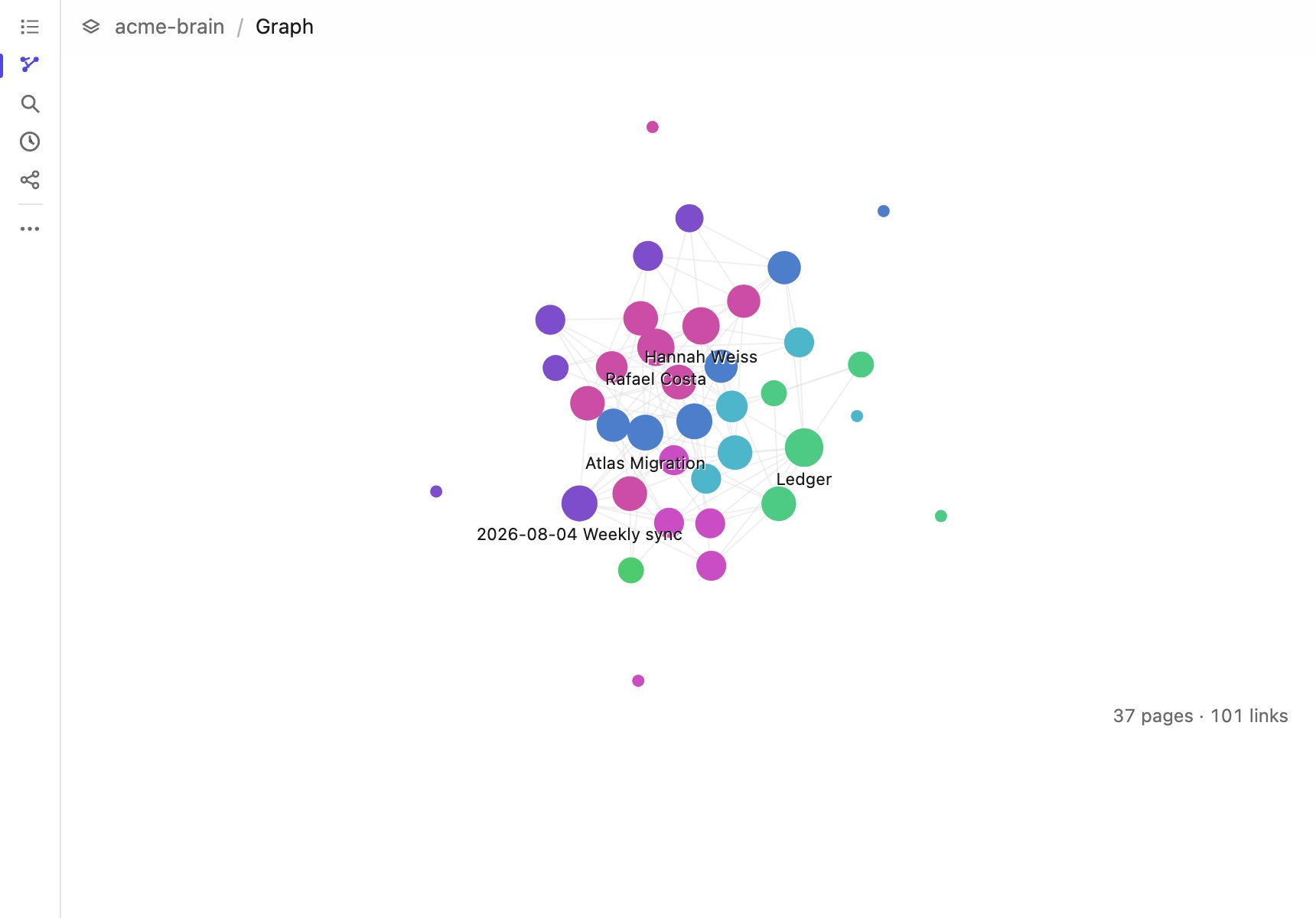
* **Link graph**, with pages sized by how many links touch them and colored by folder.
* **Activity**: who changed what, and when, for the brain or for one page.
* **Brain switcher**, when you can reach more than one brain.
* **Sharing, members and analytics**, each shown only to people whose role can use them.
It follows the host's light or dark theme, respects reduced motion, and can be shown inline,
fullscreen, or picture-in-picture.
Ask Claude to "show me my brain" or to open a page, and it opens the app. The app has no
privileges of its own: everything it shows or changes goes through the same tools Claude uses,
at your role, so it can never do something you could not.
## Opening it in a browser
Every page has a web address, `https:///b///`, that anyone with access
to the brain can open. They sign in with the same email link and need no Claude account. Ask
Claude to share a page and it gives you the link. Locally, `pnpm try` serves the app at
`http://127.0.0.1:8788/b/local/`.
## What is in it
* **Viewer.** Rendered markdown with working links in both styles. Frontmatter appears as a
properties panel. [Computed views](/computed-views) render live, and every page ends with the
pages that link to it. A refresh control shows the page's age and says when it changed
underneath you.
* **File tree.** Clicking a folder opens its [folder note](/writing-a-brain#folder-notes). A
folder without one offers to create it, already holding a listing of the folder.
* **Search**, with ranked results and the lines that matched.
* **Link graph**, with pages sized by how many links touch them and colored by folder.
* **Activity**: who changed what, and when, for the brain or for one page.
* **Brain switcher**, when you can reach more than one brain.
* **Sharing, members and analytics**, each shown only to people whose role can use them.
It follows the host's light or dark theme, respects reduced motion, and can be shown inline,
fullscreen, or picture-in-picture.
 ## The editor
A rich-text editor that saves the markdown you would have written by hand. That is the whole
design constraint: a brain is read on github.com, in Obsidian and by agents, so an editor that
reformatted every page it touched would make every change unreadable.
## The editor
A rich-text editor that saves the markdown you would have written by hand. That is the whole
design constraint: a brain is read on github.com, in Obsidian and by agents, so an editor that
reformatted every page it touched would make every change unreadable.
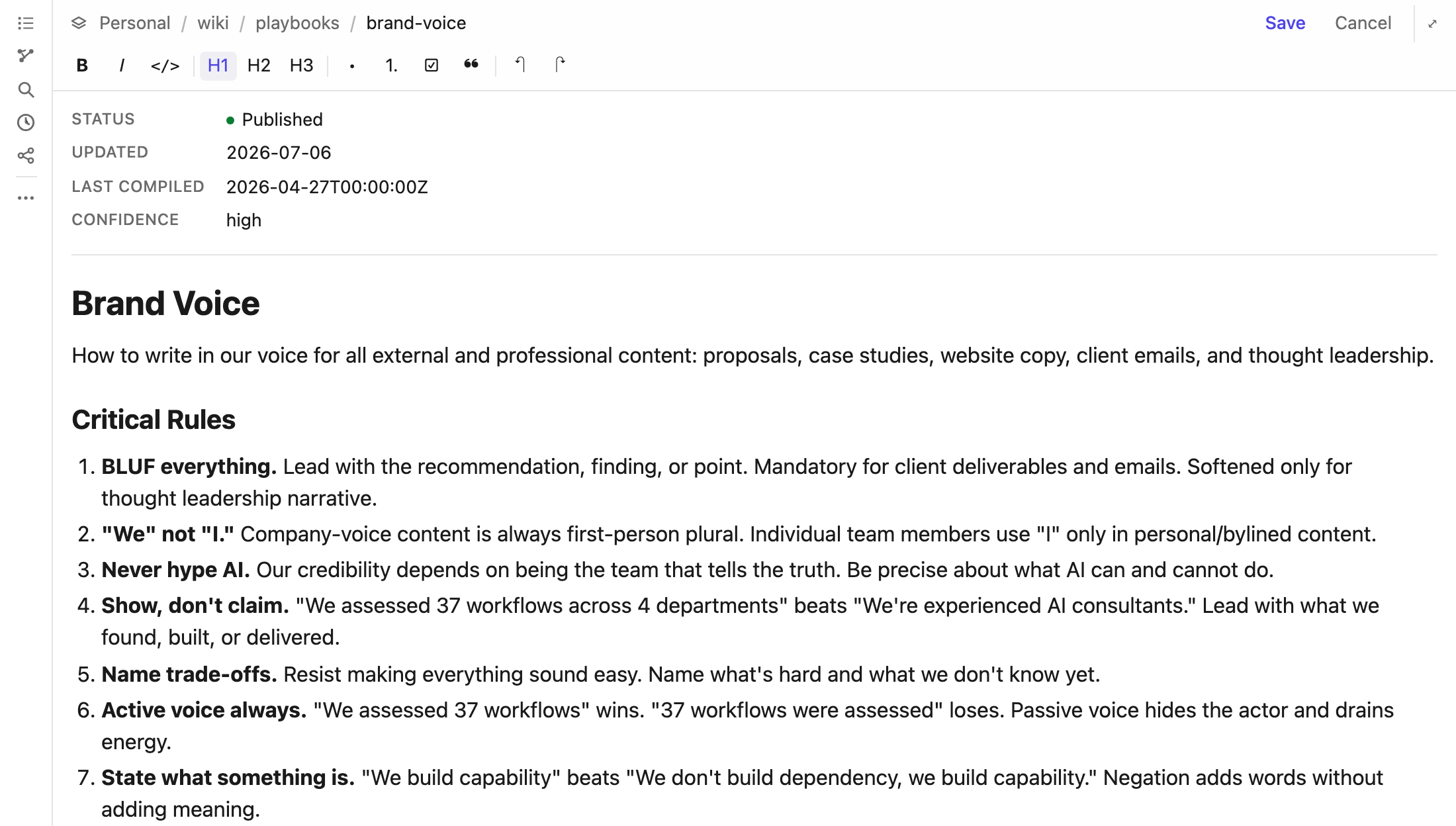 * **Formatting:** headings, bold, italic, inline code, bulleted, numbered and checklist items,
quotes, and tables with resizable columns. Undo and redo with the usual shortcuts.
* **Properties** are edited in their own panel and saved with the body.
* **Images:** paste or drop a file. It is stored in the brain beside the page and embedded as a
normal image link. Saving waits for the upload, so a page never links to a missing file.
* **Faithful saves.** Wikilinks, list markers and tables come back exactly as written, and
frontmatter the editor does not show is never touched.
* **No lost work.** If someone else changed the page after you opened it, the save is refused
and your text stays on screen instead of overwriting theirs. On a protected branch, a save
goes into the brain's open pull request (or opens one), and the editor says so.
This documentation is built and hosted on [Mintlify](https://mintlify.com), a developer documentation platform.
* **Formatting:** headings, bold, italic, inline code, bulleted, numbered and checklist items,
quotes, and tables with resizable columns. Undo and redo with the usual shortcuts.
* **Properties** are edited in their own panel and saved with the body.
* **Images:** paste or drop a file. It is stored in the brain beside the page and embedded as a
normal image link. Saving waits for the upload, so a page never links to a missing file.
* **Faithful saves.** Wikilinks, list markers and tables come back exactly as written, and
frontmatter the editor does not show is never touched.
* **No lost work.** If someone else changed the page after you opened it, the save is refused
and your text stays on screen instead of overwriting theirs. On a protected branch, a save
goes into the brain's open pull request (or opens one), and the editor says so.
This documentation is built and hosted on [Mintlify](https://mintlify.com), a developer documentation platform.